

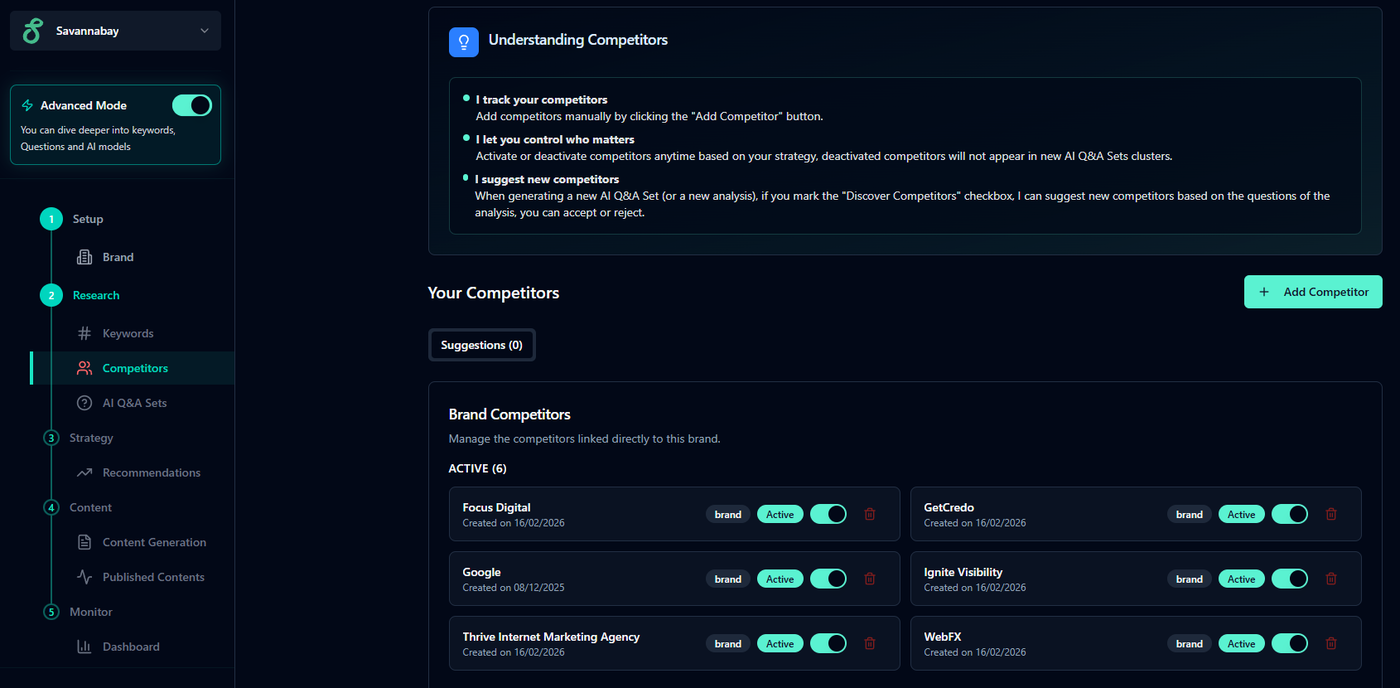
Overview:
The Competitors page helps you understand who your brand is competing with inside AI-generated answers.
Instead of manually researching competitors across search engines and AI tools, Savannabay keeps a list of relevant competitors connected to your analyses. This allows the platform to compare how your brand appears alongside others during AI Q&A evaluations.
You can fully manage this list or simply let Savannabay handle it automatically.
How Competitors Work
When you generate keywords Savannabay can automatically identify competitors for you based on AI responses and ranking patterns.
Once discovered, competitors appear on this page, where you can review and adjust them at any time.
Managing Competitors
You have full control over which competitors are included in future analyses.
Activate or Deactivate
Each competitor has a switch:
Activated competitors are included in upcoming AI Q&A Set analyses.
Deactivated competitors are ignored in future evaluations.
This allows you to focus only on the competitors that matter to your strategy.
Remove a Competitor
Click the red icon next to a competitor to remove it from your list.
Add competitors: To add a new competitor, click the Add Competitors button in the top-right corner and enter the competitor’s name.
Add a Competitor Manually
If you already know who you want to track:
Click Add Competitors (top-right corner)
Enter the competitor’s name
Auto-Discover Competitors
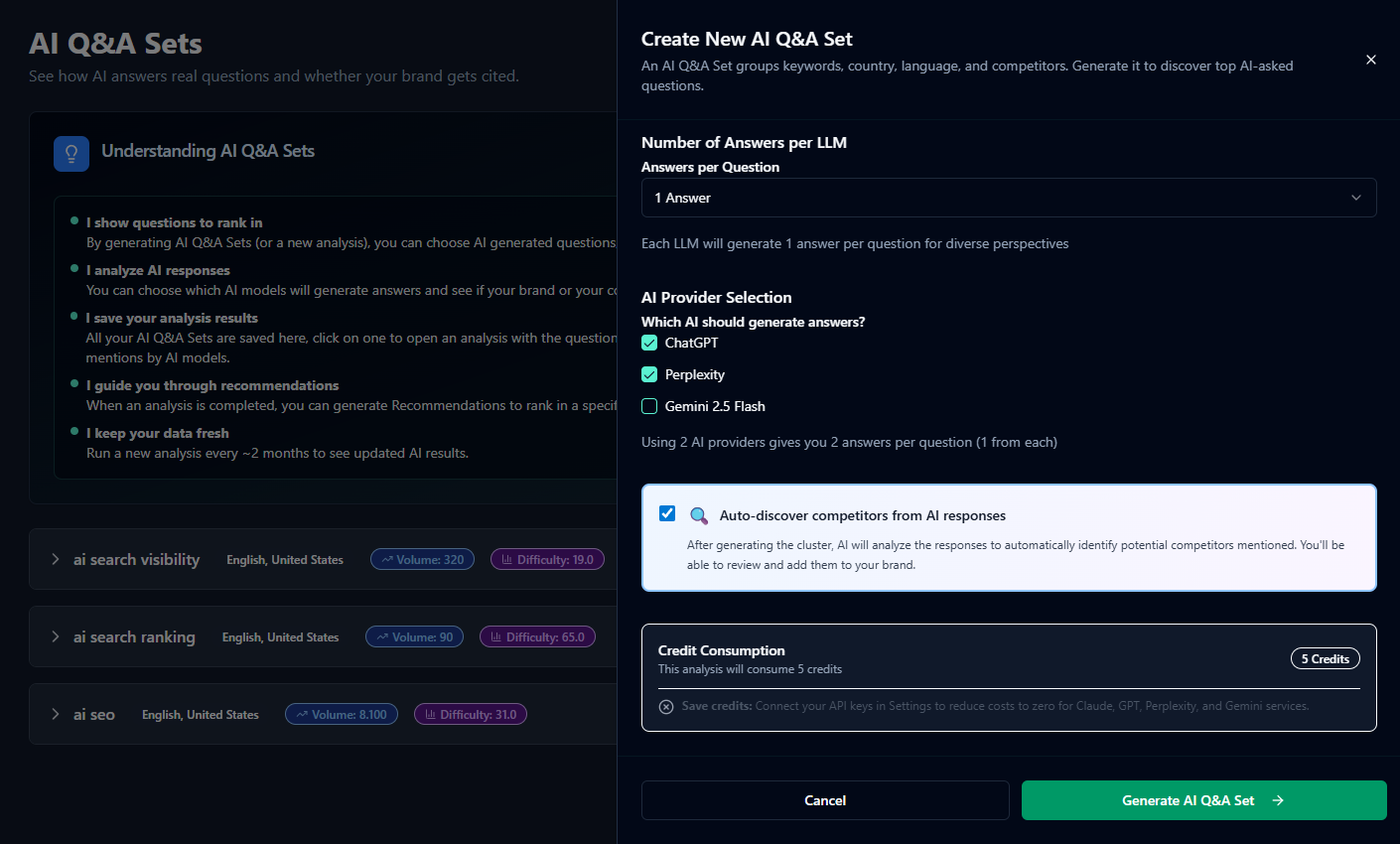
When generating an generating an AI Q&A Set, you can enable:
“Auto-discover competitors from AI responses.”
When this option is active, Savannabay analyzes AI answers and detects brands that appear alongside yours.
This helps reveal competitors you might not know yet, especially those gaining visibility in AI search results.
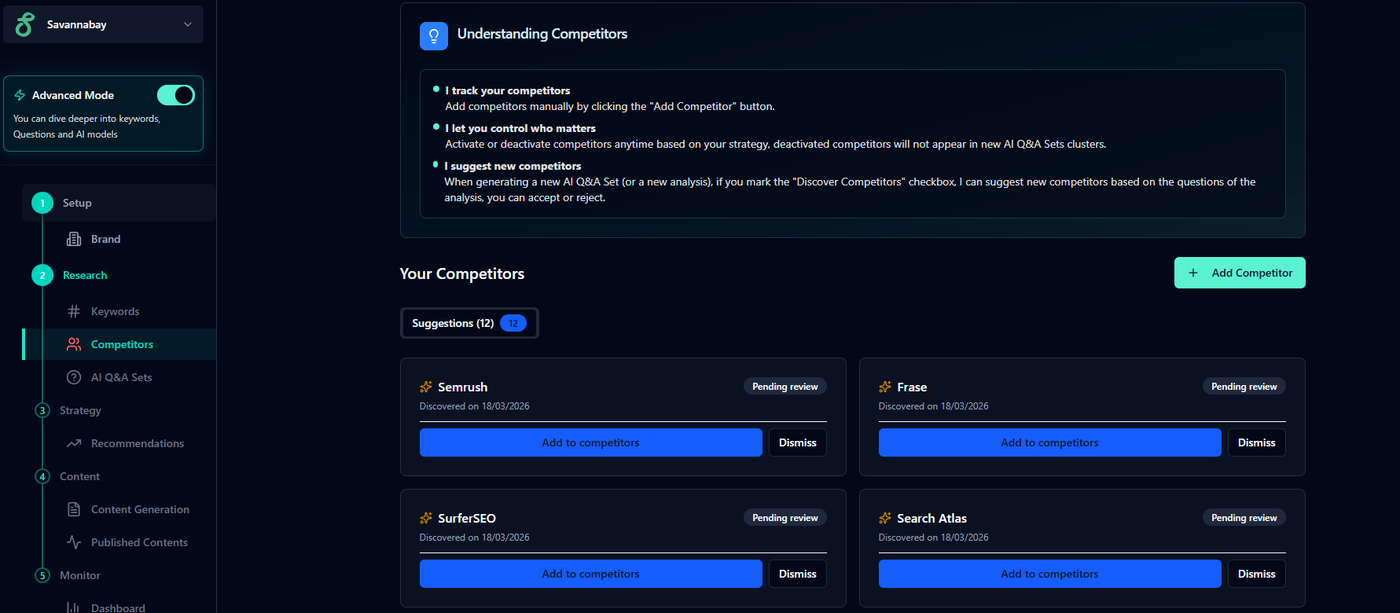
After AI Q&A Set Generation
Once the analysis finishes:
Savannabay identifies competitors mentioned in AI responses
New competitor suggestions are created automatically
To review them:
Wait for the notification card in the bottom-right corner indicating competitors were found
Return to the Competitors page to review and manage them
💡 Tips:
You can safely ignore this page if you prefer — Savannabay manages competitors automatically in the background.
Manually adjusting competitors can improve analysis accuracy and provide clearer insights into how brands compete in AI answers.
Enable Auto-discover competitors only when you expect AI responses to mention competing brands. Otherwise, the system may not find meaningful suggestions.
The Competitors page gives you control when you want it while still allowing Savannabay to handle discovery and analysis automatically.