

What is Published Contents
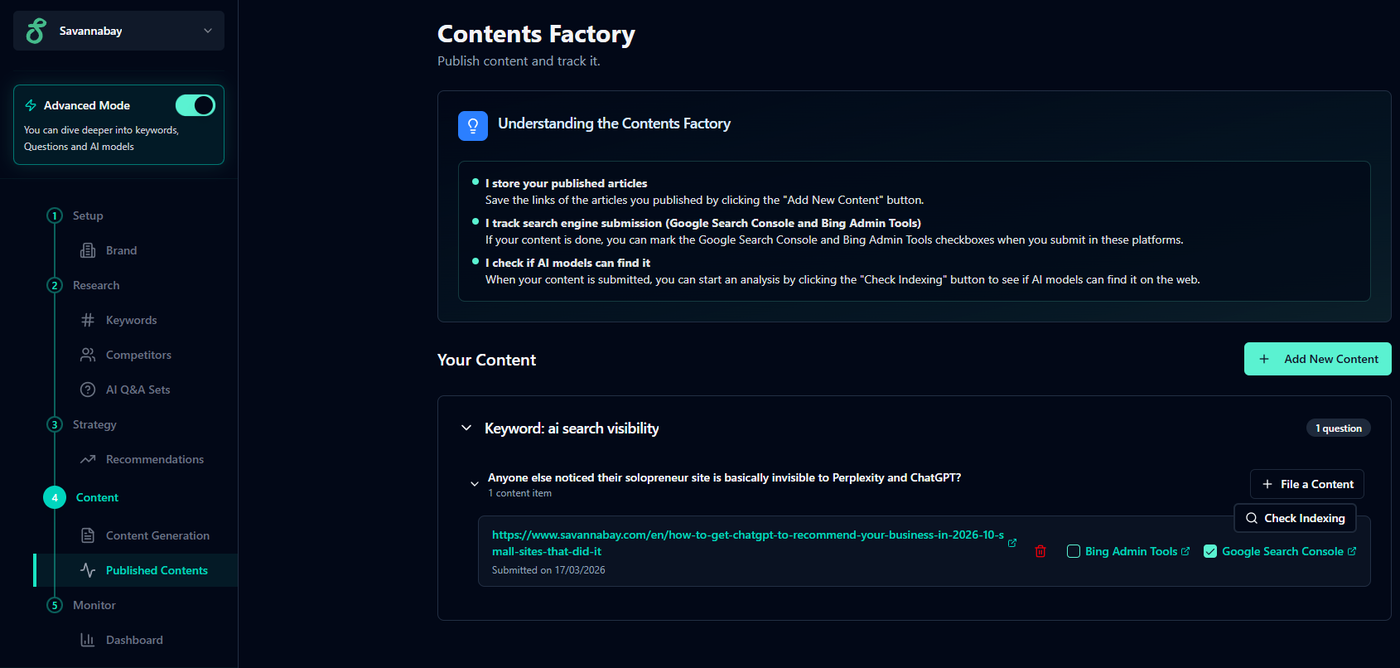
Published Contents is where you can quickly view and manage all the content you’ve added to Savannabay.
Every article, page, or material created to help your brand rank in SEO or GEO can be added here, allowing you to keep track of what has already been published and submitted to search engines.
This section gives you a clear and fast overview of your submitted content without needing to manage links or status manually.
1. Adding a New Content
Any content created to rank on Google, Bing, or AI platforms can be added to Savannabay.
To add content:
Click Add New Content
Select the question or topic the content was created for
Submit the content link
Once added, the content will appear in your Published Contents list so you can easily monitor its status.
2. Bing Admin Tools and Google Search Console
Each content card includes checkboxes that help you track whether the page has already been submitted to search engines.
✅ Google Search Console: mark this if you submitted the content to Google.
✅ Bing Webmaster Tools: mark this if you submitted the content to Bing.
These checkboxes are for tracking purposes only, helping you quickly understand which contents are already eligible for search engine indexing.
3. AI Indexing Check (Spyglass Icon)
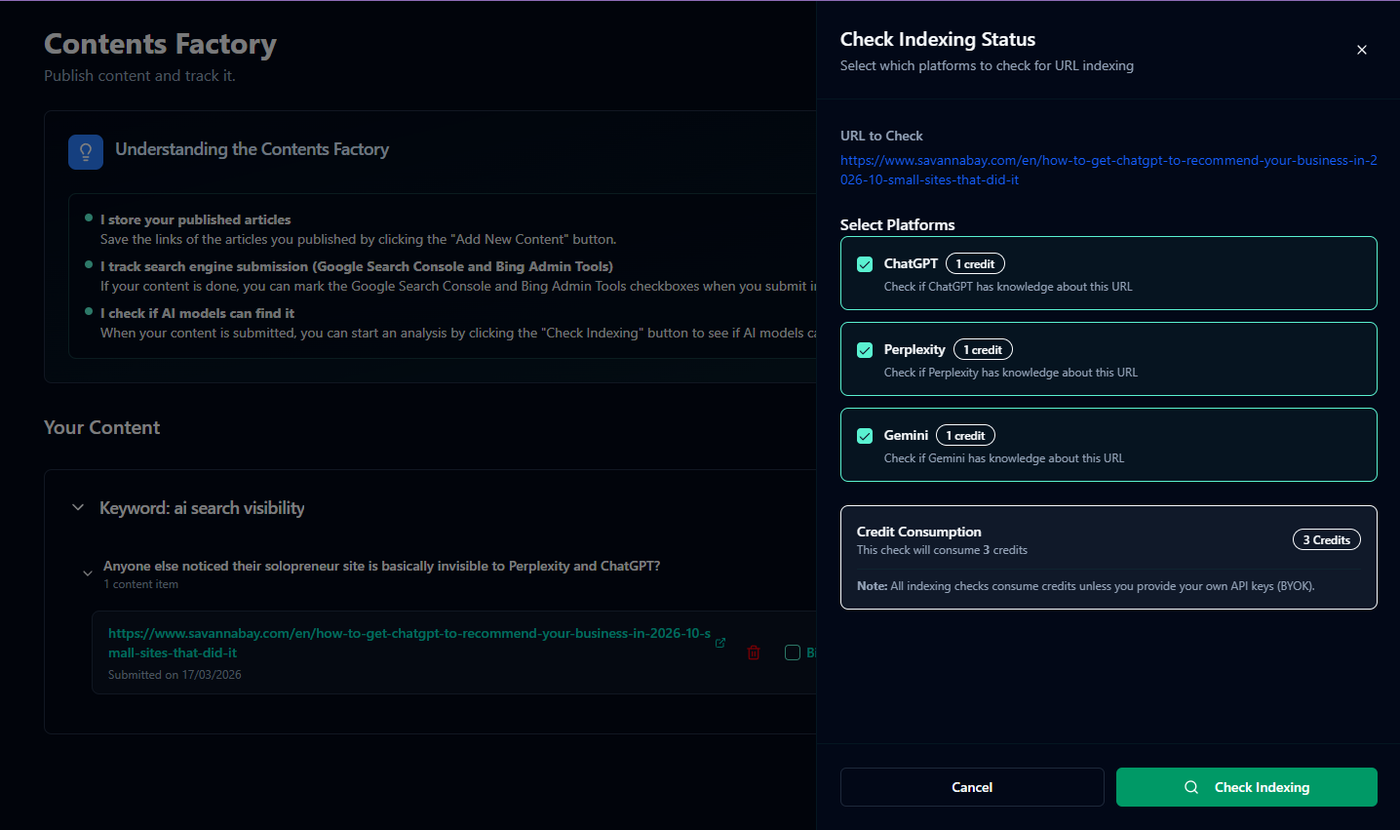
By clicking the spyglass icon, you can verify whether AI models are able to find your content on the web.
After selecting the AI models and running Check Indexing:
Savannabay searches for your content using the selected AI models
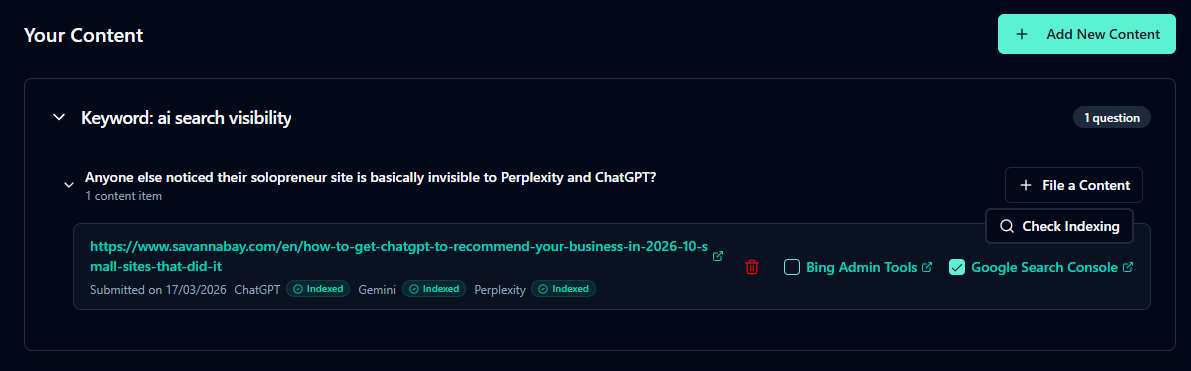
If a model finds your content, it will appear as indexed on the content card
If it does not, the model will not be marked as indexed
This helps you understand whether your content is visible to AI systems.
⚠️ Important:
If an AI model shows your content as indexed, it does not mean your brand is being cited in AI answers.
It only means the content is discoverable and accessible to the model on the web.
💡 Tip: Your materials are organized in the following structure:
Keywords → Questions → Content
You can have:
Multiple questions for a single keyword
Multiple pieces of content for a single question
Published Contents is designed to give you a simple and fast way to keep track of what you have published, submitted, and indexed across search engines and AI models.
Best Practices
Submit to both platforms:
Always submit your content to Bing Webmaster Tools and Google Search Console. Since AI search behavior is not fully transparent, being indexed on both platforms increases your chances of being cited.
Be patient with indexing checks:
AI models are not always highly accurate when searching the web. If your content does not appear as indexed, check again later to confirm.