

Content Generation Overview:
Savannabay allows you to generate SEO and GEO-optimized content in two different ways, depending on how you prefer to work.
Understanding this difference helps you choose the best workflow for your needs.
Two Ways to Generate Content
1️⃣ Generate Using MCP (Inside Your Own LLM)
With Savannabay’s MCP, you can generate content directly inside tools like ChatGPT or Claude using your own AI models.
What this means:
You create content inside your preferred LLM interface
No Savannabay credits are used
You use your own model access and limits
The model runs with a more advanced system prompt designed for structured article generation
When using MCP, articles can be generated with richer formatting, including HTML and custom CSS layouts.
This option is ideal if you prefer working directly inside your AI assistant or want unlimited generation using your own model usage.
2️⃣ Generate Inside Savannabay (This Page)
The Content Generation page lets you create articles directly inside Savannabay using our SEO-intelligent chatbot.
Here, the AI guides you through a structured conversation to build content aligned with your selected keyword and strategy.
This method is designed for users who want a guided workflow without leaving the platform.
⚠️ This feature is available for monthly plans or Tier 2 (or higher) LTD users.
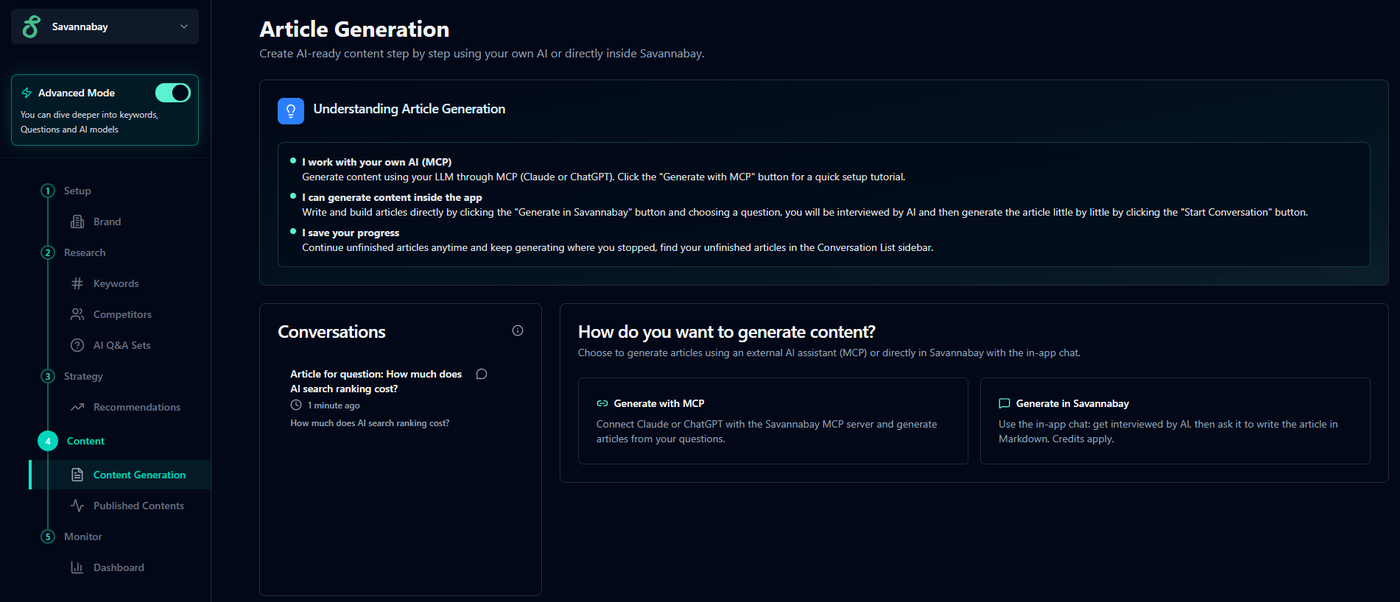
How Content Generation Works in Savannabay
You can start new articles or continue previous ones anytime from the Conversations list.
Step 1 — Choose “Generate in Savannabay”
Click Generate in Savannabay to begin a new content creation session.
(You can also generate content via MCP if you prefer the external workflow.)
Step 2. Start the Conversation
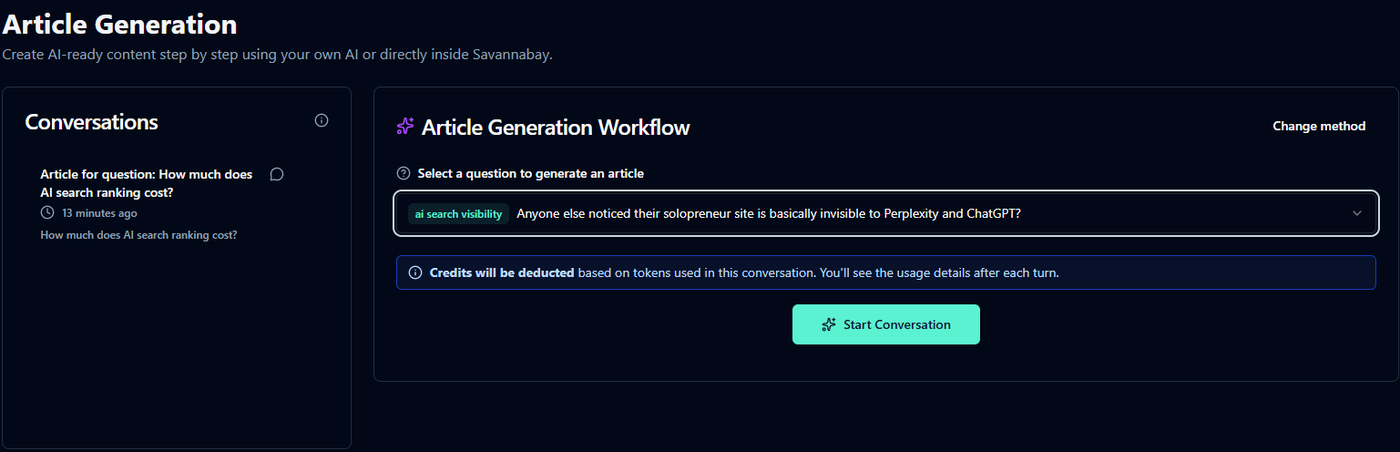
Select a question related to your keyword from the dropdown menu and click Start Conversation.
The AI will begin an interactive interview to understand:
your perspective
your brand context
the angle of the article
how the content should be positioned
You’ll also see credit usage displayed at the bottom of the chat.
Each AI response counts as a new turn, and additional turns may use more credits as the model analyzes more context.
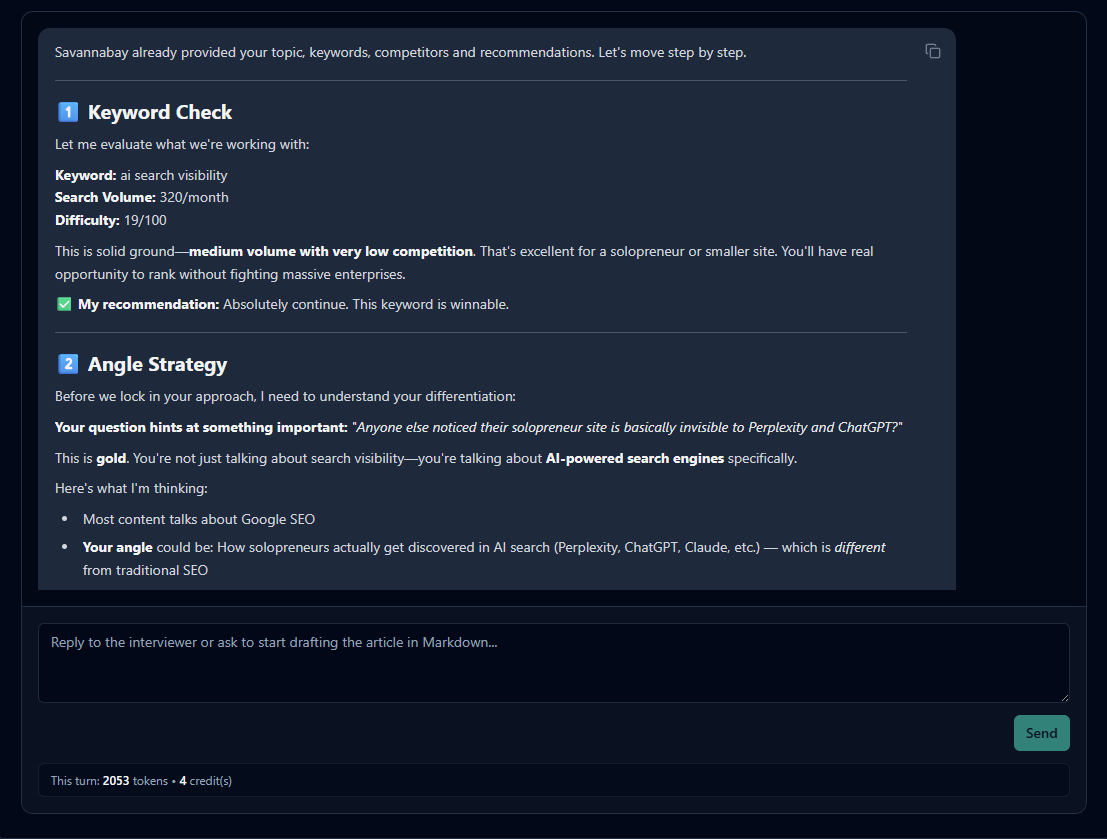
Step 3. Build the Article With the AI
Instead of generating content instantly, the model asks questions — similar to a real interview — to gather the information needed to create a stronger article.
After several exchanges, the AI generates a complete article in Markdown format, ready for editing or publishing.
If needed, you can stop anytime and continue later from the Conversations list (unless the conversation is deleted).
Credit Usage Explained (Simple Version)
Each AI reply uses credits.
Longer conversations require more context, which may increase credit usage.
Savannabay periodically compacts conversations to reduce future costs.
⚠️ This compaction step uses some credits, but it significantly lowers the total cost compared to continuing without optimization.
💡 Tip
If you connect your own Claude API key (BYOK), you can generate content while saving TONS of credits.
Typical usage:
~150 credits for a full article
~250 credits if you request multiple refinements
MCP vs In-App Generation
Use MCP when you want:
generation inside ChatGPT or Claude
Generate articles without using Savannabay credits.
advanced HTML/CSS output
Use Generate in Savannabay when you want:
everything organized inside the platform
no need of AI keys
Only a markdown output
Best Practices
Take time answering the AI’s questions — better input leads to more human and differentiated articles.
After generation, ask the AI to review keyword optimization and refine if needed.
Always review content before publishing. AI models can occasionally produce inaccurate information.
Content Generation in Savannabay is designed to combine AI speed with strategic guidance — helping you create publishable content aligned with both SEO and AI search visibility.